

2D or 3D Animated Video: Which One to Choose for Your Project
05.10.2026
Abstract
A 2D animated video is flat, hand-drawn animation: characters and backgrounds are created as illustrations and brought to life through frame-by-frame movement. A 3D animated video is built from volumetric models that can be rotated, lit, and captured with a virtual camera from any angle.
2D is more affordable and faster to launch, offers greater stylistic freedom, and is ideal for explainer videos and short stories. 3D requires a higher initial investment during preparation, but created models can be reused, making the format more cost-effective for video series and projects featuring realistic objects.
The choice doesn’t depend on the budget itself, but on the objective: what exactly the audience needs to see and how many episodes or versions are planned in the future.
In this article, we break down the differences between the formats, cost factors, production timelines, and when it makes sense to combine both approaches.
When a company decides to order an animated commercial or a series of animated videos, the first question is usually: 2D or 3D? Often, the choice is made intuitively – 3D seems more modern and prestigious, while 2D appears simpler and cheaper.
In reality, these are different tools for different tasks, and the more expensive option isn’t necessarily the better one. Let’s break down the real differences and how to choose the right format for your specific project.
What is the Difference Between 2D and 3D Animation in Simple Terms
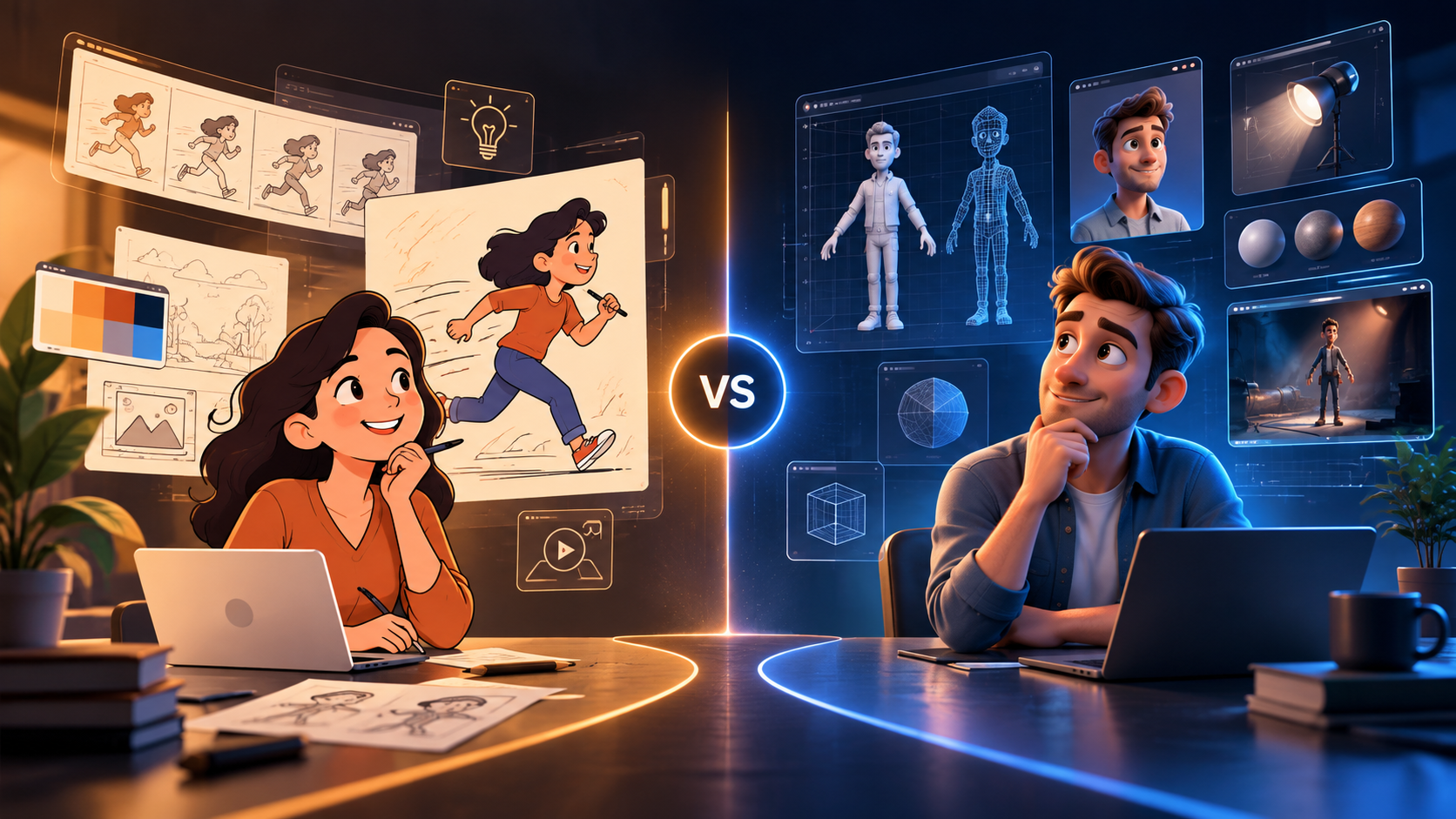
2D animation is essentially a drawing that moves. An illustrator creates the character and backgrounds, and an animator brings them to life by shifting elements from frame to frame. Everything the viewer sees is drawn specifically for that single angle.
3D animation works differently. First, a three-dimensional model of a character or object is built, given textures and a digital skeleton for movement, and then the scene is “shot” using a virtual camera. The model can be rotated in any direction, with lighting and camera angles adjusted without redrawing anything.
This leads to the main practical difference: in 2D, every new angle requires new artwork from the illustrator. In 3D, a model is created once and reused as many times as needed.
Format Comparison
| Parameter | 2D Animation | 3D Animation |
| First video cost | Lower | Higher due to 3D modeling |
| Cost of subsequent episodes | Roughly the same | Significantly lower |
| Stylistic freedom | Virtually unlimited | Limited by technology |
| Complex camera angles & motion | Labor-intensive | Easily implemented |
| Realistic objects and machinery | Stylized/simplified | Strong suit |
| Production timeline | Shorter | Longer due to rendering |
When to Choose a 2D Animated Video
Two-dimensional animation wins in the following cases:
- you need to explain an idea, service, or software workflow – simplification helps rather than hinders;
- a unique visual style is crucial: watercolor, paper cutout, retro graphics, or custom branded illustrations;
- it is a single standalone video with no planned sequels;
- budget or production deadlines are tight;
- the character needs to be cute and expressive rather than realistic.
That is why most business explainer videos are created in 2D animation: it is faster, more affordable, and allows you to illustrate practically anything.
When You Need a 3D Animated Video
Three-dimensional animation is justified when:
- a series of videos or a full animated web series is planned;
- the video must feature an actual physical product, machinery, or complex equipment;
- dynamic camera movements, fly-throughs, and cinematic angles are required;
- depth, realistic lighting, and tactile material textures are essential;
- the same 3D asset will be repurposed for advertising, website visuals, or presentations.
The main argument for 3D animation is long-term ROI. The initial video costs more, but the second and third videos become significantly cheaper because characters, locations, and assets already exist.
What Drives the Cost of an Animated Video
Pricing is determined not by duration alone, as many assume, but by several key factors:
- number of characters and design complexity;
- number of unique locations and backgrounds;
- visual style: simple vector graphics vs. highly detailed illustrations;
- lip-sync implementation – synchronizing lip movement with voiceover;
- voiceover, music licensing, and sound design (SFX);
- for 3D – modeling complexity and machine rendering time.
The most expensive phase in 2D is frame-by-frame drawing, whereas in 3D it is asset preparation. Therefore, a short 3D video may cost the same as a longer 2D video, while a 5-episode 3D series turns out to be far more economical than five separate 2D videos. A precise estimate tailored to your project is calculated during the briefing stage – a standard part of professional animation production services.
How Long Does Production Take?
Regardless of the format, production follows the same key stages: scriptwriting, storyboarding, animatic, character and background design, animation, voiceover recording, and final audio mixing.
The difference lies in where the majority of time is spent. In 2D, it goes into drawing frames; in 3D, it is spent on modeling, texturing, rigging, and machine render time, which can take hours per scene.
A practical tip: allocate the most revision time to the storyboard and animatic stages. Once animation begins, changing a scene becomes significantly more expensive, and in 3D, it can require re-rendering an entire episode.
When Both Formats Are Combined
In commercial video production, the line between 2D and 3D is often blurred:
- 3D product models are embedded into a 2D scene to showcase a product accurately while keeping the background stylized;
- 3D characters are rendered with stylized cel-shading – looking like 2D while allowing complete camera freedom;
- 2D UI elements, callouts, and kinetic typography are overlaid onto 3D footage using motion design.
This hybrid approach delivers the desired visual impact without overpaying for technical overhead the audience won’t notice.
How to Choose the Right Format
In practice, the choice comes down to answering a few key questions.
Planning question: If it is a one-off video – a promo, holiday greeting, or single-service explainer – 2D fulfills the goal faster and more cost-effectively. If it’s the first episode of several, the equation changes: a series doesn’t necessarily mean a cartoon show, but could be six social media ad videos per year. In that scenario, 3D models pay for themselves by the second or third release.
Next, evaluate two more criteria:
Does the audience need to see your actual physical product – packaging, machinery, tech device? A drawn version will always be stylized, so 3D or a hybrid model is required.
How crucial is a signature artistic look? If you need a recognizable brand aesthetic – watercolor, collage, or custom hand-crafted illustration – 2D provides artistic freedom that 3D cannot match at any price point.
Budget is intentionally listed last. Not because it doesn’t matter, but because on its own, it doesn’t dictate the choice: both 2D and 3D can be produced on modest or high-end budgets, with the difference reflecting level of detail rather than technology choice.
A final tip for those who are unsure: if your video marketing strategy isn’t fully defined yet, start with a short 2D video. It will quickly validate how your audience responds to the character and messaging, allowing you to make an informed decision about 3D later on based on real performance data.
Conclusion
2D and 3D are not competitors, but distinct tools. 2D is more affordable, faster, and offers complete stylistic freedom, making it ideal for explainer videos, short brand stories, and custom illustrated projects. 3D requires a higher initial setup investment, but delivers high ROI on content series and is indispensable when depth, photorealistic objects, and complex camera moves are required.
Start not with the technology, but with two questions: what does the viewer need to see, and where is the project heading next? The answers will point directly to the right format.
 05.10.2026
  6 min
6 min